
Compact Kiosk Enclosure Trap: When the 15.6"–21.5" Format Loses to a Freestanding Build on Total Cost of Ownership
A 15.6” or 21.5” compact kiosk enclosure usually costs less up front, but it stops being cheaper once cash modules, peripheral port count and thermal headroom are added. The compact kiosk enclosure trap is treating a footprint decision as a price decision. Buyers should size the cabinet to the workload, not to the quote.
The compact-format default is a claim, not a measurement
The 15.6” and 21.5” formats dominate transactional kiosk RFQs on the strength of vendor framing, not published field data. Vendor listings present these sizes as “the ultimate compact solution for self-service, interactive advertising, and seamless” deployment [1], and one restaurant kiosk supplier markets an 11.6”, 15.6” and 21.5” QSR hardware line as the standard range [2]. Both are undated vendor pages making a product claim. Neither reports measurable field failure or lifecycle-cost data.
Total cost of ownership, scoped to enclosure decisions: purchase price, integration labour, service access, thermal derating risk, downtime and refresh cycle — over the usable life of the cabinet, not the warranty period.
A 15.6” desktop self-payment kiosk with facial recognition and an Intel Core i3/i5/i7 board sits in the same listing category as a 21.5” all-in-one with touch screen, thermal printer and 2D scanner [4]. The convergence is asserted. It is not measured.
Total cost of ownership beyond unit price: what compact enclosures hide
Format choice drives TCO through six cost lines, only one of which appears on the purchase order:
- Bill of materials — enclosure material, internal brackets, panel cuts, connector plates.
- Integration labour — assembly time per unit, driven by how cramped the interior is.
- Service access — minutes per fault call, driven by how much must be disassembled to reach a module.
- Thermal derating — compute and printer throttling where heat has nowhere to go.
- Spare-part logistics — whether a failed module is a field swap or a bench repair.
- Refresh cycle — how soon the platform must be replaced as functions are added.
This article supplies a framework and a set of questions, not field figures. No public dataset quantifies compact-enclosure lifecycle failure or service cost, so treat every number below as a parameter to obtain rather than a benchmark to quote.
Footprint vs workload: 15.6” vs 21.5” vs freestanding compared
The comparison below maps transaction type, cash module volume, 21.5 inch kiosk hardware capability, 15.6 inch self service kiosk limits and kiosk enclosure size cash module constraints across three columns. Cells are qualitative on purpose — no fabricated dimensions, capacities or prices.
| Criterion | 15.6” compact | 21.5” compact | Freestanding |
|---|---|---|---|
| Transaction type | Card-led, low-cash, order-only | Mixed cash and card, medium basket | Full cash and card, high basket |
| Display size | Smallest; limited menu density | Mid-size; standard ordering layouts | Largest; signage plus transaction |
| Cash module / recycler volume | Lowest; often no recycler | Moderate; low-capacity recycler possible | Highest; multi-denomination recycler practical |
| Peripheral port count | Tight; port expansion usually external | Moderate; some internal headroom | Generous; internal expansion bays |
| Cable routing space | Minimal; harnesses pre-formed | Compressed but routeable | Ample; service loops and strain relief |
| Thermal headroom | Low; sealed cabinet, minimal venting | Moderate; venting dependent | High; metal body can act as passive heatsink |
| Service access | Whole unit off site or bench | Front-panel access, limited reach | Lockable rear or side service door |
| Typical placement | Countertop, wall-mount, host stand | Counter or short pedestal | Lobby, floor, ticketing or hotel front desk |
One hospitality supplier states its kiosks “support wall-mounted, freestanding, and compact deployments to fit your space and service flow,” with a listed dimension of 1’9”W × 1’7”D × 6’H for its freestanding K2 model [6]. That is a manufacturer specification, not an independent field measurement, and it should be verified in a quotation or sample.
Condition 1: cash module and note recycler volume per model
A bill acceptor and note recycler consume cabinet depth in a way a card reader never does. Cash handling and cashless payment kiosks that include a note recycler must house a validated note path, a stacking cassette and, on recycling models, a separate dispense cassette. Each added cassette adds stack height, and the note path needs curvature clearance so notes do not jam at the fold.
A compact enclosure forces one of two compromises: a lower-capacity cash acceptor and note recycler module, or an external cassette. Both change service frequency and labour, not the purchase price — which is exactly how the trap works. A 21.5” self-payment kiosk with a bill acceptor and 2D scanner is offered in cabinet sizes as small as 435 × 405 × 145 mm [5]. Those dimensions are a manufacturer claim to verify, but they show how little interior volume remains once the stated printer and scanner are fitted.
Questions to ask a supplier, in order:
- What is the note capacity of the recycler as configured, in notes and in denominations?
- Where does the note path terminate, and is the cassette front- or rear-accessible?
- If the recycler is full, does the kiosk accept notes to a second cassette or reject the note?
- How many cash-service call-outs per month does that capacity imply at your transaction volume?
- Does the compact variant use the same module part number as the freestanding variant?
Condition 2: peripheral port count and cable routing at that cabinet size
Kiosk peripheral integration ports are rarely the constraint buyers plan for, and that is the second trap. A transactional kiosk accumulates peripherals fast: restaurant self-ordering kiosk hardware typically pairs a touchscreen with a thermal receipt printer, EMV or card reader, QR scanner and camera; hotel self-check-in kiosks add a document or ID scanner and often a room-key encoder.
Listed self-service specifications show the pattern — one manufacturer lists 21.5”, 27” and 32” screens with “EMV card readers, barcode/QR scanners, thermal printers, cameras” and a powder-coated steel enclosure that is VESA-mounted or freestanding [3]. Count the interfaces that periphery consumes:
- USB or USB-C — card reader, scanner, camera, printer status, service port.
- Serial or USB-virtual-COM — cash module, some note recyclers, some card readers.
- Power runs — printer brick, cash module, compute module, display, peripherals.
- Internal RF or antenna runs — contactless, Wi-Fi, cellular.
Each run needs a route, strain relief and separation from mains wiring. A compact cabinet compresses that routing, which raises assembly labour per unit and lengthens field-service time because a technician must thread around fixed modules. See the site’s breakdown of where integration stops at the module boundary in peripheral-level integration boundaries.
Condition 3: thermal headroom once printer, camera and card reader share the enclosure
Kiosk thermal management printer camera interactions are the most consequential condition, because heat load is additive and compact cabinets offer the least vent area. A sealed compact enclosure sharing heat from a thermal receipt printer, a camera or face-recognition module, a compute module and a card reader can derate or throttle components. Printer throughput is the usual casualty: thermal print heads draw sustained current, and the surrounding air is already warm.
Freestanding aluminum builds can act as a passive heatsink, using the body to move heat to ambient — a design property, not a measured outcome. Whether it is sufficient depends on unknowns the buyer must obtain: sustained and peak power draw of each peripheral, expected continuous duty cycle, ambient temperature at the placement point, and the cabinet’s rated operating range.
Compute choice changes the heat floor. Windows Android Linux kiosk hardware options carry different idle and peak loads, so the same enclosure may be comfortable with one compute module and marginal with another. The reasoning and open questions are set out in the site’s thermal-budget discussions on rebasing data-connected signage RAM and NAND budgets and budgeting commercial display memory and compute.
When the compact 15.6”–21.5” format still wins
The freestanding kiosk vs countertop kiosk choice is not one-sided. Compact enclosures are the correct answer when three conditions hold: low cash share, low thermal load, and easy service access.
Card-only, low-cash deployments fit a compact cabinet well. Single-printer tabletop units have one dominant heat source, not four. Wall-mounted and host-stand placements have no floor footprint to spare, and a compact kiosk via a modular form factor range lets one hardware family cover both a 15.6” order station and a 21.5” counter unit. Where all three conditions hold, the smaller cabinet is cheaper on purchase and no worse on lifetime cost. Where cash share is high or peripherals stack up, the same cabinet quietly reverses. Compare the panel-level trade-off in the site’s cash-acceptance vs card-only architecture piece.
Configuration questions to settle before locking a 15.6”–21.5” platform
Answer these before dimensions are frozen, because a compact kiosk enclosure locked early is expensive to reopen. Each question maps to one of the cost lines above; kiosk peripheral integration and kiosk maintenance and procurement consequences follow from the answers.
- Expected cash share of transactions — above roughly a third, model a recycler, not an acceptor.
- Recycler capacity and denomination mix — sets cash service frequency and labour.
- Full peripheral list, with power draw per item — the heat and port budget baseline.
- Port headroom — how many USB, serial and power runs remain free after the base configuration.
- Cable routing access — can a technician reach and re-route harnesses without removing modules?
- Ambient temperature at the placement point — the placement, not the building, defines the thermal case.
- Cleaning regime — ingress and cleaning method close off venting options.
- Service interval tolerance — how long a kiosk may be offline before it costs revenue.
- Spare-part lead time — the real driver of downtime when a module fails.
- Refresh horizon — how many years before new functions demand new cabinet dimensions.
Close the loop by asking the supplier for enclosure-level specifications rather than a product name: interior volume, module part numbers, port map, rated operating temperature and service door dimensions. A published product page lists the format; only the enclosure spec sheet tells you whether the workload fits.
Related guides
- Cash-Acceptance vs Card-Only Kiosk Architecture: A Total-Ownership Spec Framework
- Peripheral Level Integration Boundaries in Cash: Who Owns the Kiosk Driver, SDK and Port Map?
- Re Budgeting Commercial Display Memory Compute: When to Freeze RAM/NAND vs Wait for Allocation
- Rebasing Data-Connected Signage RAM and NAND Budgets When the Consumer Tablet Down-Cycle Re-Orders Allocation
Content reviewed: 2026-09-15.
Evidence confidence
Confidence: Medium. This rating reflects cross-checking 6 sources across 6 independent domains. It measures evidence coverage, not certainty; verify safety-critical work against manufacturer instructions and local requirements.
References
APA 7th edition
- ↑Instagram. (n.d.). JUST IN Meet the Element PK156 #Android Self-Service Kiosk. Retrieved September 15, 2026, from https://www.instagram.com/reel/DR0QLM2EmgP/.
- ↑TCANG. (n.d.). Best Self-Service Kiosks for Fast Food Restaurants. Retrieved September 15, 2026, from https://www.tcang.net/best-self-service-kiosks-fast-food-restaurants.html.
- ↑Metroclick. (n.d.). 7 Types of Kiosks: Self-Service, Payment & Digital Guide. Retrieved September 15, 2026, from https://www.metroclick.com/kiosks/touch-screen-kiosks/outdoor/what-are-the-7-types-of-kiosks.
- ↑self payment kiosks songapore for sale. (n.d.). self payment kiosks songapore. Retrieved September 15, 2026, from https://www.everychina.com/site-self-payment-kiosks-songapore.
- ↑Payment Kiosks and Self Ordering Kiosk in Restaurant price. (n.d.). Touchwo21.5inch 27inch Payment Kiosks Payment Terminal Self Checkout Kiosk Machine. Retrieved September 15, 2026, from https://touchwo.en.made-in-china.com/product/TZbGHoarHjtc/China-Touchwo21-5inch-27inch-Payment-Kiosks-Payment-Terminal-Self-Checkout-Kiosk-Machine.html.
- ↑Peblla Restaurant Kiosks. (n.d.). Self-Ordering Kiosks for Restaurants. Retrieved September 15, 2026, from https://www.peblla.com/kiosks.
You should also read:
Peripheral Level Integration Boundaries in Cash: Who Owns the Kiosk Driver, SDK and Port Map?
Peripheral level integration boundaries in cash kiosks decide who ships the driver, who pins the SDK version, and who owns the COM port map. Assign driver provenance, SDK package, port map, compliance artefacts and firmware baseline to a named party before the purchase order, or…
Continue reading...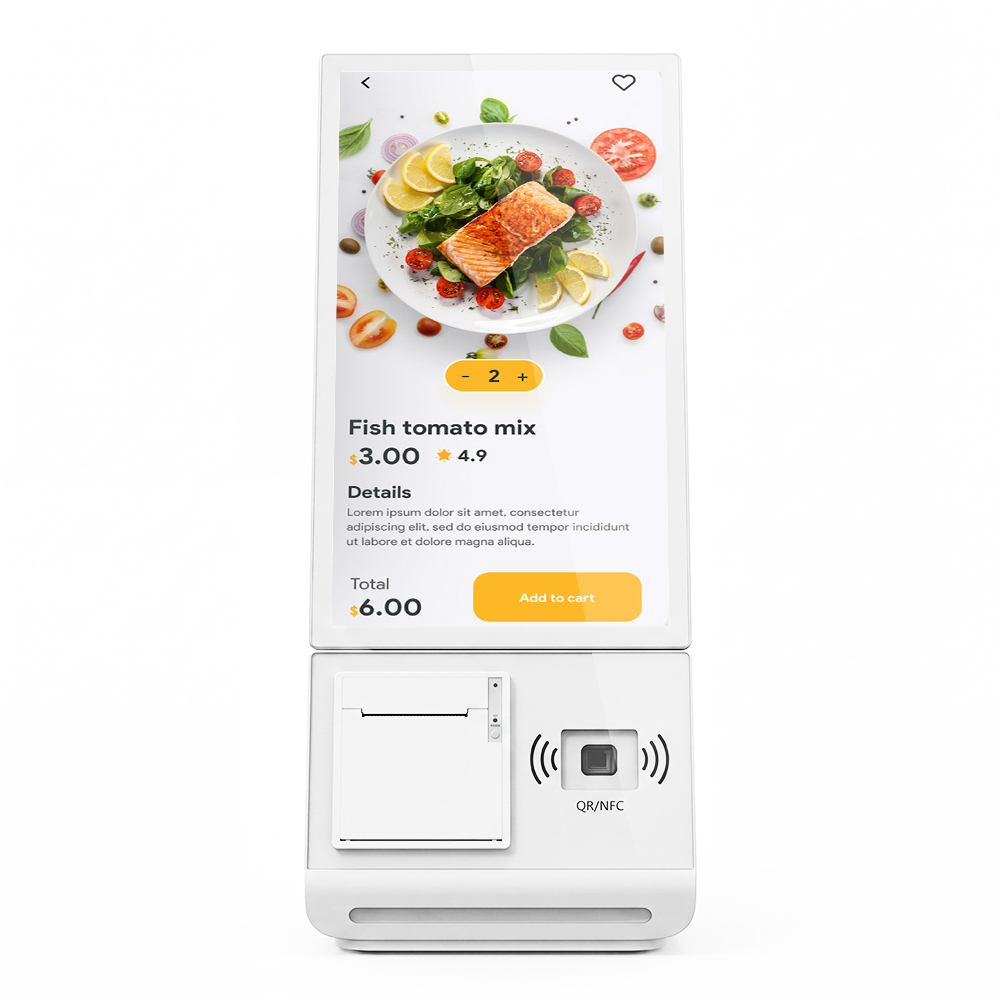
Cash-Acceptance vs Card-Only Kiosk Architecture: A Total-Ownership Spec Framework
Cash-acceptance vs card-only kiosk architecture is the choice of which payment path the terminal must physically own: card-only kiosks carry a reader, antenna and gateway link, while cash-accepting kiosks add validators, coin handling, a secure vault and a collection cycle. The decision belongs in the…
Continue reading...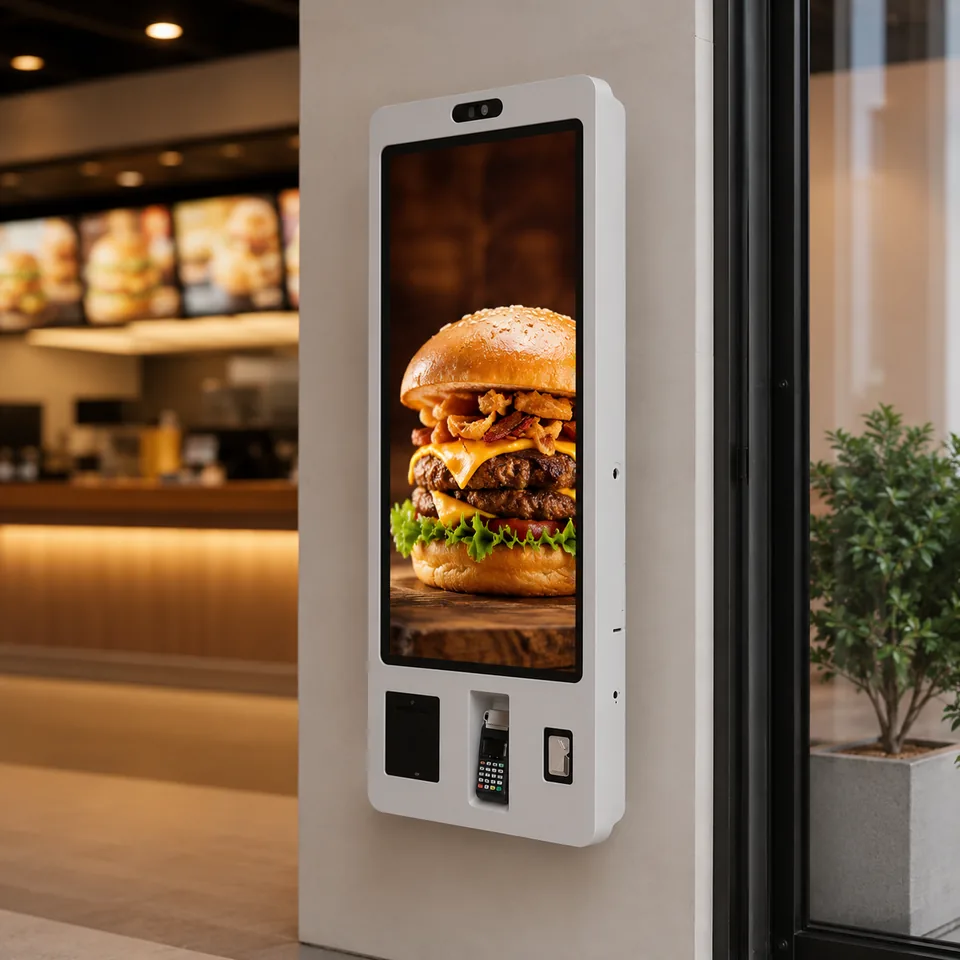
Open-Frame vs Laminated Wall-Mounted Signage for Restaurant Kiosks: A Panel-Bonding ROI Comparison
The Spec Fork Every Integrator Meets on a QSR Wall Building a restaurant wall terminal comes down to one decision: do you source an open-frame touch panel and own the enclosure, bezel, and bonding yourself, or buy a fully laminated, ultra-narrow-bezel unit delivered as a…
Continue reading...